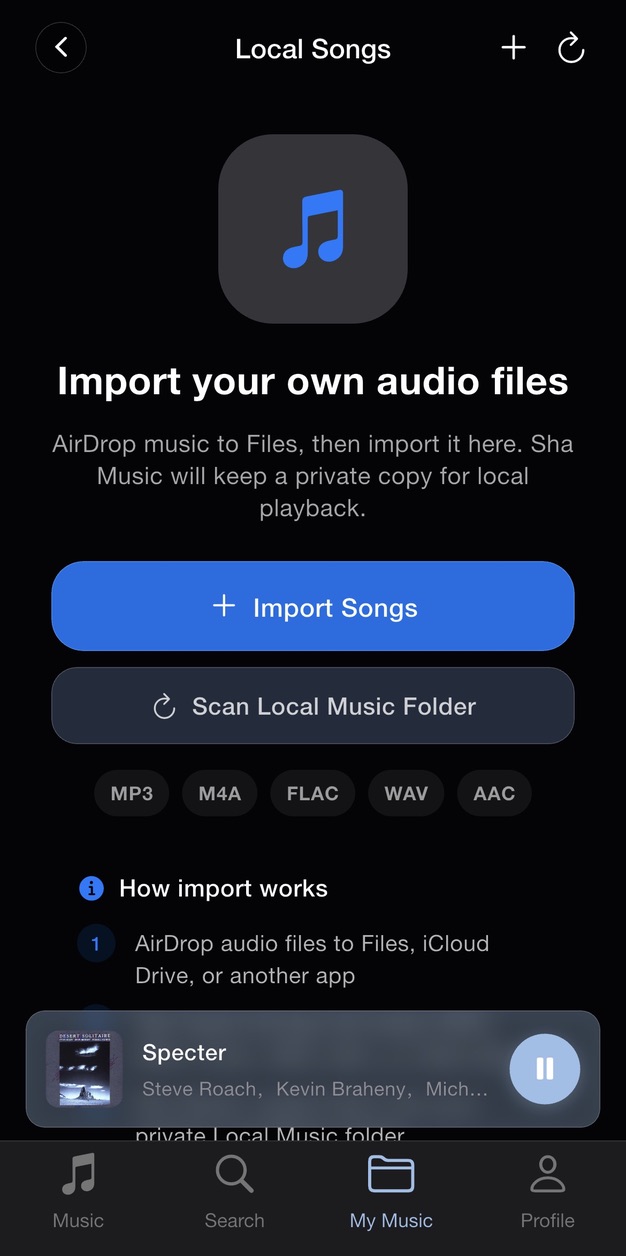
Prepare your audio files
Sha Music supports local MP3, M4A, FLAC, WAV, and AAC audio. Save the files you want to import in the Files app on your iPhone. You can transfer them from your computer with AirDrop. If a file is stored in iCloud Drive, download it to your iPhone before importing. Use audio files you own or have permission to copy.
Import into Sha Music
- Open Sha Music and go to My Music, then Local Songs.
- Choose Import Songs to open the file picker.
- Select the supported audio files you saved in Files and confirm your selection.
- Find the imported tracks in Local Songs and play one to check the import.
Where your music is stored
The import creates a copy for local playback inside Sha Music. Files imported on this iPhone are separate from streamed songs and cached tracks. Keep your original audio files as a backup. If you have placed audio in the app’s local music folder, use Scan Local Music Folder to look for it.
If a file will not import
Check the file format, available iPhone storage, and whether the complete file is available in Files. Changing a filename extension does not convert an unsupported file. Downloads kept inside another streaming service are not necessarily exportable audio files. For further help, contact support with the file type and what happened during import.
Keep exploring